Topology graphs are important (and fun)
Recently I watched the presentation from Microsoft about Radius. They developed the tool to foster the collaboration between devops and developers. In nutshell devops create "recipies" in Bicep or Terraform and developers use them to deploy the application. Seems cool.
However this is not the topic for this article. They mentioned the idea that instantly clicked in my head. That is - we waste so much of our time when interacting with kubernetes. Imagine you want to learn why app is not working and you know that it depends on "downstream" app. So you start with the deployment, it's fine, then you go to the code and find out the k8s service name that it's using. Then by labels or simply by name you find the dependent deployment that is failing. So we had 3 context switches. What about the dependencies that are > 2 links deep?
Exactly this is just too much work. There is a better way to handle things. We draw graph where deployments are nodes and edges are dependencies. This was briefly mentioned in the presentation however it was not main topic. But the concept is not new. Openshift as much as I was able to reasearch had it 5 years ago already.
Topology view in OpenShift
One picture worth thousand of words:
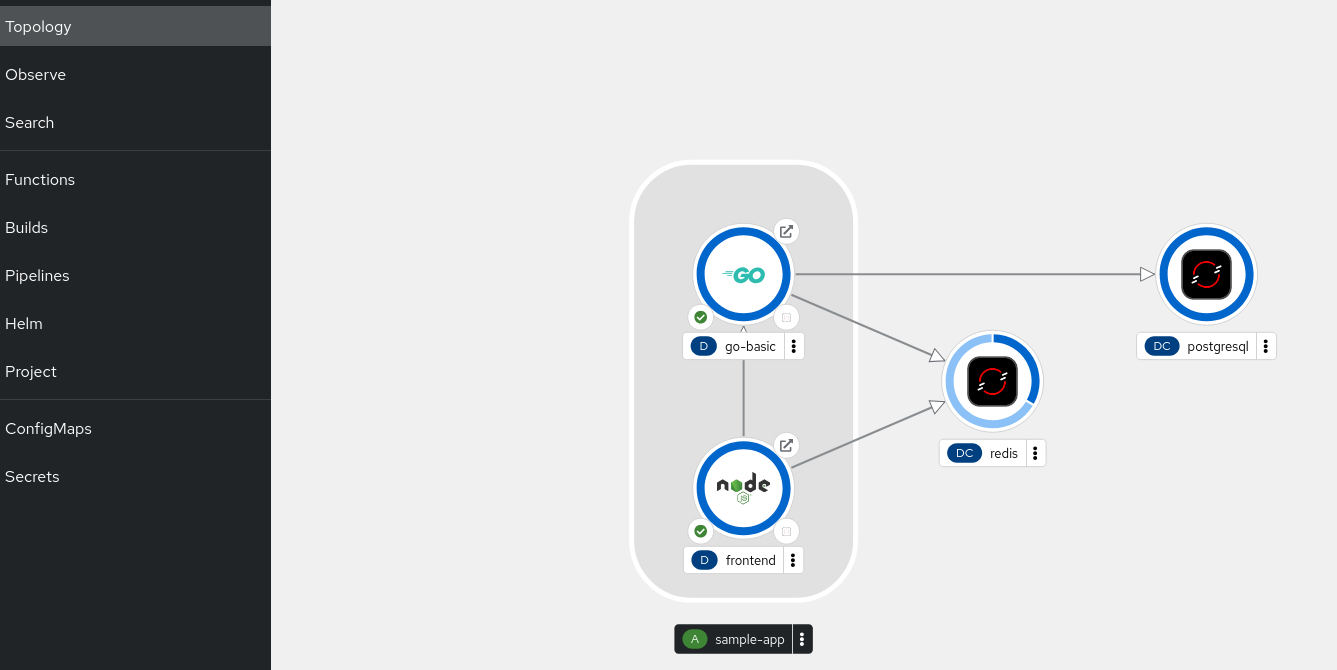
What if the postres went down? Then it would look like this:
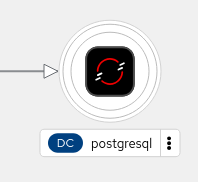
I mean not exactly, it would be rounded in red circle, but you get the picture. You can instantly see.
What is more you can view its code with Eclipse Che by deploying own workspace. Committing changes with git is whole different story...
What's under the hood
I clicked away all this in OpenShift but the real use case would be deploying apps with helm. So how is it done?
As it turns out these are just plain labels and annotations.
First the simple stuff:
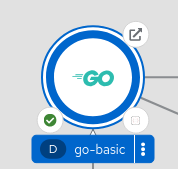
How would you get the "Go" picture? Very simple:
kubectl label deployments go-basic app.openshift.io/runtime=golang
How would you group applications together?
kubectl label deployments go-basic app.kubernetes.io/part-of=sample-app
kubectl label deployments frontend app.kubernetes.io/part-of=sample-app
How would you get the dependency-arrows?
kubectl annotate deployments frontend 'app.openshift.io/connects-to=[{"apiVersion":"apps/v1","kind":"Deployment","name":"go-basic"}
So there is no magic here. These are just plain labels and annotations and the beauty is that they don't even interfere with your workflow.
Kubernetes standard labels/annotations
Kubernetes standard labels/annotations
app.kubernetes.io/name
This is the name of the application
app.kubernetes.io/instance
This is the name of the replica/instance in case you have many applications. You can think of it as blueprint - object pattern.
app.kubernetes.io/version
No explanation needed
app.kubernetes.io/component
Not sure what this does, but probably some categorization backend versus frontend.
app.kubernetes.io/part-of
We have seen it that it groups apps in OpenShift.
app.kubernetes.io/managed-by
I would recommend avoiding it, as it interferes with OpenShift topology rendering.
What you could do in couple of minutes, you can do in seconds. Viewing graphs instead of list of resources enables you to debug the system faster and hassle free.